27B at 30 tok/s on a 565-dollar 32GB server GPU — no CUDA
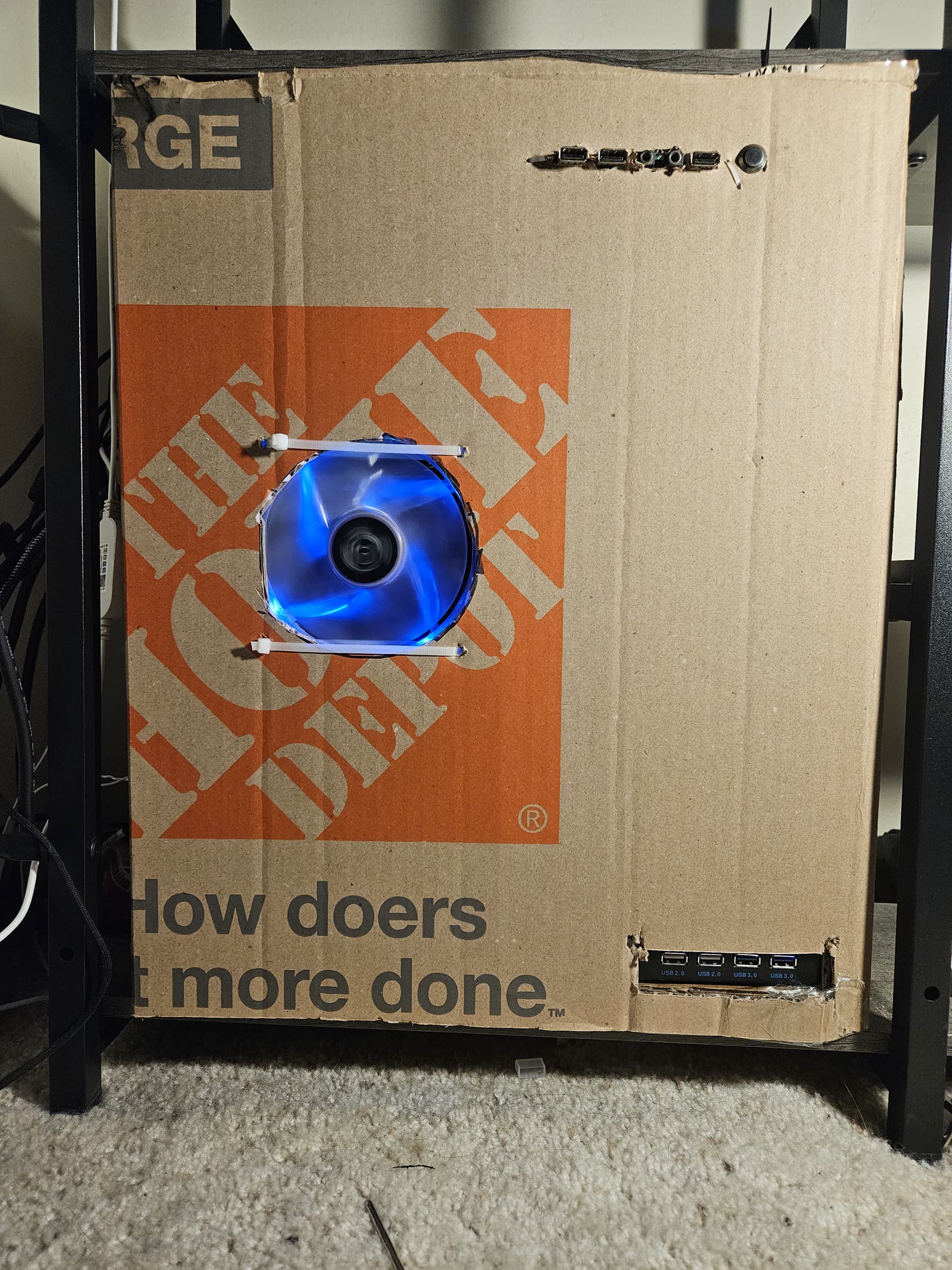
The card
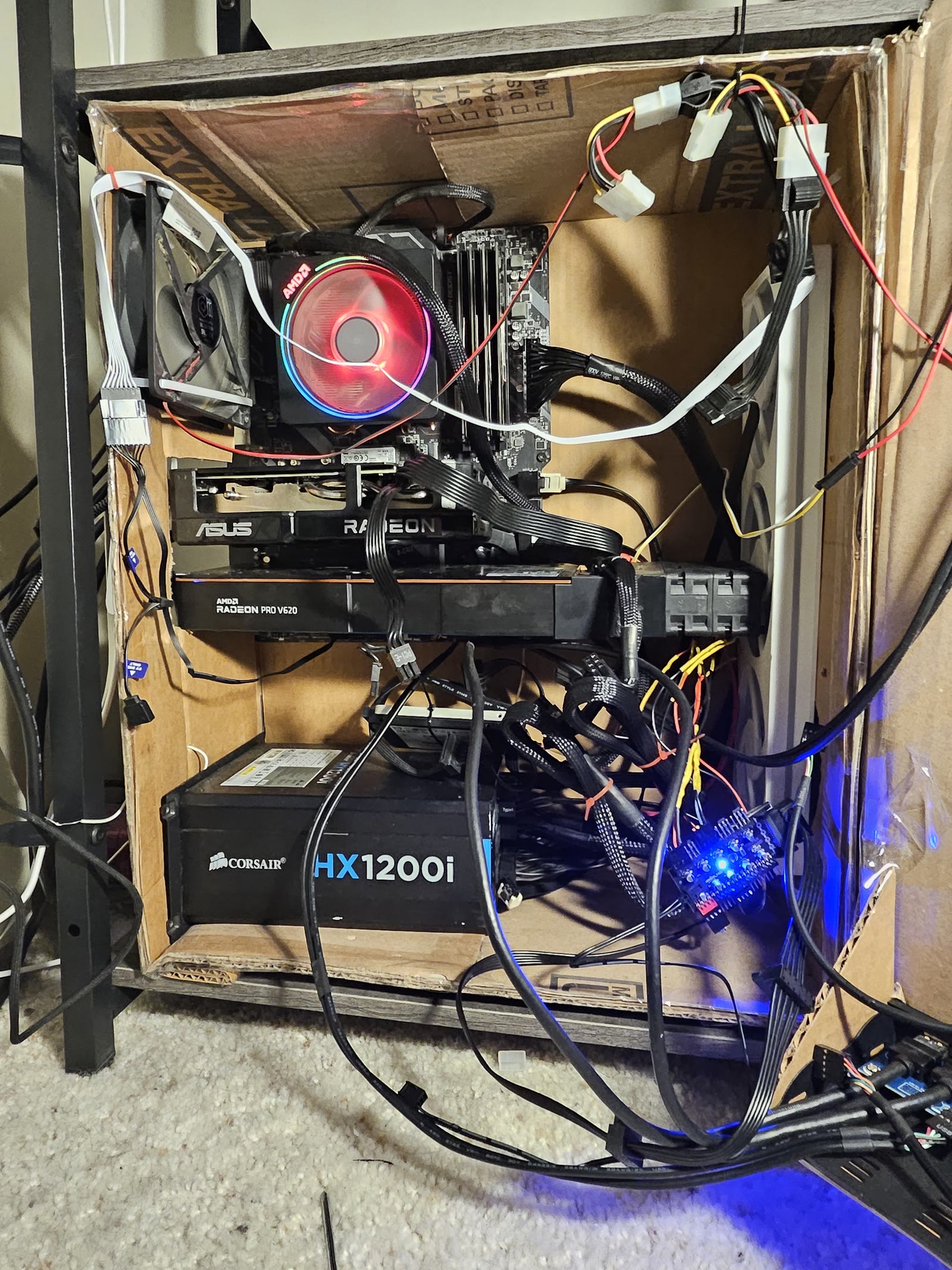
The Radeon Pro V620 is a virtual-desktop GPU from the exadatacenter flood: Navi 21 silicon (same family as the RX 6800 XT, launched 2020) with 32 GB of GDDR6 instead of 16, no display outputs, and passive cooling — it expects a server chassis with an air duct, which is exactly what I gave it.
When I bought mine, they were about 300 dollars. They are 565 dollars now. The internet found them. If you're reading this in 2027, the arbitrage is probably closed and you should enjoy the numbers anyway.
What you don't get: CUDA, display outputs, a cooler, or official ROCm support.
What you do get: the cheapest 32 GB of AMD VRAM on the planet — which means the cheapest way to run a 27B Q6 model with a real context window instead of a toy one.
And before the comments ask: yes, the whole machine lives in a cardboard box, held together with zip ties and a five-dollar tube of silicone sealant. Every component inside costs what it costs; none of it costs what the branding around it costs. The RGB tax is a tax. The tempered-glass tax is a tax. My junction temps are measured, my airflow is engineered, and my chassis cost zero dollars — the box is not a compromise, it is the thesis.
The numbers
Model: Qwen3.8-27B-UD-Q6_K.gguf (20.5 GiB), llama.cpp HIP build, one card, 196,608 token context.
| Probe run | Decode (tok/s) | Draft accepted | Prefill (tok/s) |
|---|---|---|---|
| run 1 | 30.49 | 33/36 | 22.5* |
| run 2 | 30.68 | 33/36 | 23.8* |
| run 3 | 30.74 | 33/36 | 24.3* |
| run 4 | 30.53 | 33/36 | 17.1* |
| run 5 | 30.73 | 33/36 | 22.7* |
| run 6 | 32.23 | 33/36 | 85.2* |
* The probes sent only 4–34 prompt tokens, so prefill here is dominated by measurement overhead and page-cache residency — treat it as "noisy, and worse when the box is busy," not as a headline. Decode is the number that matters for interactive use, and it is remarkably stable: five of six runs within 0.25 tok/s of each other.
And 30 tok/s is a speed you feel. It is comfortably above reading speed, with 192K context, on a card that costs less than a mid-tier phone. This is not "AMD is slow" with a caveat attached; it is a daily-driver agent speed, and it is the speed the rest of this post is about.
The flags that matter
llama-server \
  --model Qwen3.8-27B-UD-Q6_K.gguf \
  --ctx-size 196608 \
  --n-gpu-layers 99 \
  --flash-attn auto \
  -ctk q8_0 -ctv q8_0 \
  --spec-type draft-mtp --spec-draft-n-max 2 \
  --batch-size 2048 --ubatch-size 512 \
  --parallel 1
Three of those lines are doing all the work:
--spec-type draft-mtp— Qwen3.8 GGUFs ship with a Multi-Token Prediction head (blk.64.nextn.*) baked in. llama.cpp drives it as a speculative decoder: 36 draft tokens proposed, 33 accepted (92%) in every single probe run. This is the biggest speed lever on the box, and it's a llama.cpp feature, not a CUDA kernel — AMD gets it for free.-ctk q8_0 -ctv q8_0— KV-cache quantization. The 192K context fits in 32 GB because the cache is quantized. Without it, the model and its context are enemies.--ctx-size 196608— the point of 32 GB. A 27B model that holds an entire codebase, an entire conversation, an entire incident post-mortem without amnesia.
The build (and the ROCm trap)
llama.cpp with -DGGML_HIP=ON, HIP architectures set to the card's target, verified with llama-server --list-devices before trusting anything.
The trap: my distro's ROCm (7.2.4) segfaulted against my kernel (7.1.9). The forums call this "just downgrade" or "just upgrade." I did neither — I installed a nightly TheRock (community ROCm) userspace into a side directory and pointed LD_LIBRARY_PATH at it per model. System ROCm stays untouched; the model gets its own ROCm. When the next update breaks something, exactly one environment variable changes.
The four traps that cost me a month
- ROCm ↔ kernel version roulette. Fix: side-by-side userspace, as above.
- HIP index renumbering. Binding a second GPU after boot renumbers indexes; my 27B silently pointed at the 16 GB card and OOM'd a 20.9 GB allocation. Fix: pin
HIP_VISIBLE_DEVICESby UUID, never index. - Load-time bands. Measured, not guessed: warm 11 s, cold 62 s, cold-with-another-model-resident 127 s, and >300 s when available memory drops below ~20 GiB (the kernel evicts pages as fast as they fault in). My health-check timeout was inside the slow band, so a third of my loads were being killed and retried, compounding the problem. Timeouts are arithmetic, not vibes.
- Thermals. As shipped, a passively-cooled VDI card under sustained inference sits at 99–100 °C junction — and it has no fan interface at all: its hwmon node exposes no
fan*orpwm*attributes, so software can neither watch it nor cool it. The fix is mechanical; see the next section.
The cooling fix (full BOM, about 60 dollars)
First, the measurement that tells you everything: maxing the case fans — 6.6x the airflow — moved the V620's junction 4 °C in the wrong direction. A passive-tunnel card pulling its own intake does not care about your chassis wind; it cares about the seal between itself and dedicated air. So I stopped buying airflow and built a duct:
| Part | Source | Cost |
|---|---|---|
| Duct (3D printed, snaps card intake to 4× fan wall) | my file — link coming soon | filament |
| 4× PWM server fans | AliExpress | about 30 |
| PWM fan controller + splitter + power board | AliExpress | about 20 |
| Silicone sealant — the actual cooling technology | Menards, 5-dollar tube | 5 |
A duct with gaps is a fan decoration; the sealant is what makes it a cooling solution. The controller board lives outside software entirely, which is correct for a card that refuses to talk about its own temperature.
And because the card won't watch itself, a watchdog does: a monitor script reads every thermal sensor every five seconds, asks the model server to unload when a card runs hot, and will trip a poweroff if things get truly bad. It has a real trip history — this isn't a hypothetical safety system, it's one that has actually saved this box from itself. The chassis is cardboard; the fire suppression strategy is software, and it has receipts.
Post-duct numbers, measured by the box's own watchdog across an eleven-hour window of real use (7,806 five-second samples, this machine doing its actual job):
| Condition | Junction | VRAM |
|---|---|---|
| Idle | 26 °C | ~30 °C |
| Sustained inference (>150 W) | 69 °C mean, bulk 60–80 °C | max 66 °C |
| Model-load ramp (250 W spikes) | brief peaks to 99 °C | — |
The honest fine print: the junction does spike to 99 °C during 250-watt load ramps — but the longest consecutive run above 90 °C in the entire dataset is 25 seconds. Before the duct, 99–100 °C was a 25-minute plateau, and the VRAM that now peaks at 66 °C used to sit at 92 °C. Same card, same watts, same cardboard — the difference is forty cents of filament and five dollars of sealant.
Honest caveats
- Inference only. This is not a training card and I won't pretend otherwise.
- ROCm is a supported path, not a first-class one. Every driver/ROCm/llama.cpp update is a re-test. Budget for it.
- Prefill loses to NVIDIA. Decode doesn't, by much. If your workload is 100K-token prompts all day, buy the other card.
- The card needs airflow you engineer yourself — the duct BOM above is cheap and non-optional.
- If you need everything to work out of the box, this blog post is not for you. It's for the other 10,000 people.
While we're at it: images
The most persistent zombie claim in this niche is "Stable Diffusion doesn't run on AMD." It was true in 2023. Nobody told anyone.
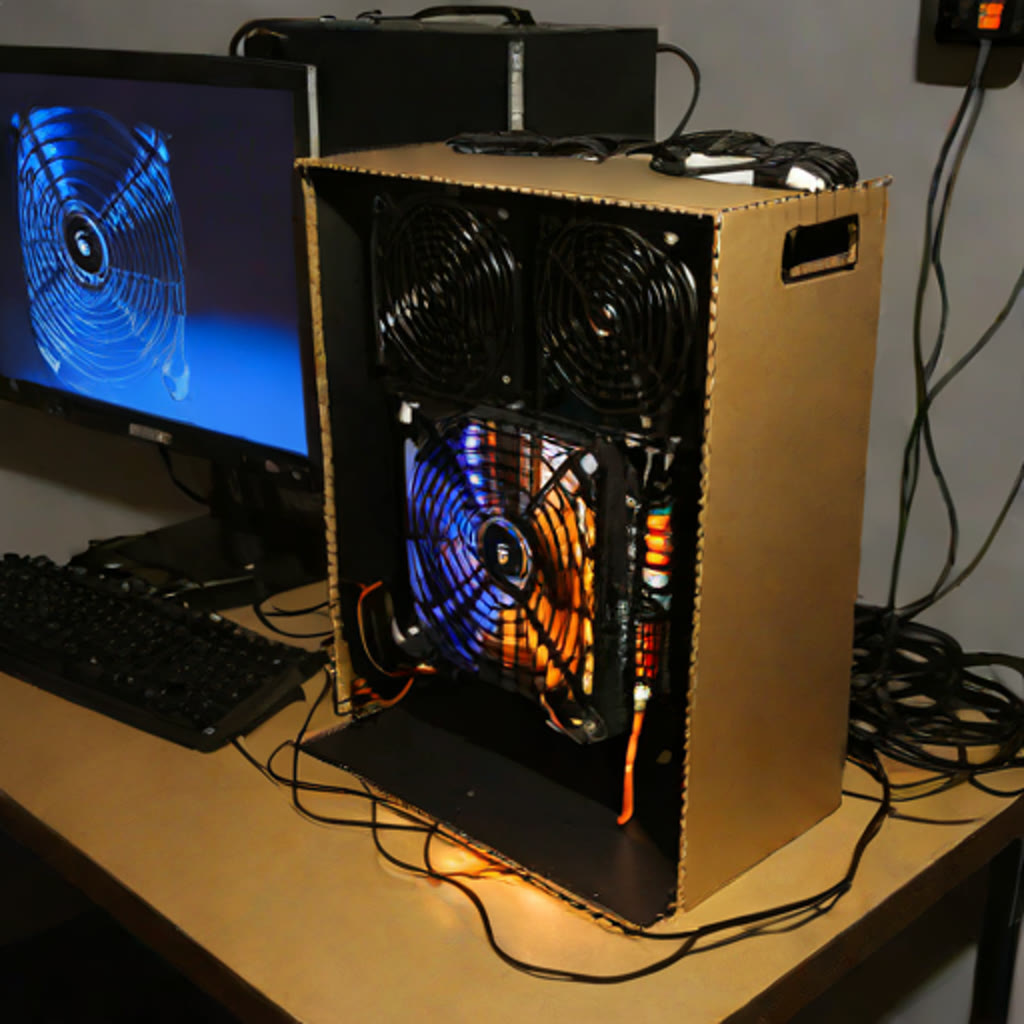
The same box runs SDXL-Turbo on the RX 9060 XT — PyTorch on ROCm, native HIP, no CUDA, no translation layer, no Windows required. Measured just now, end to end: 512×512, four Turbo steps, ~40 seconds per image including model load and the eviction handshake that politely asks the resident LLM to step off the card first. The pipeline is unoptimized; the number is a floor, not a ceiling.
And because the best demos are self-referential, the prompt was "photograph of a homemade computer built inside a Home Depot box, blue glowing fan over the orange logo" — and the machine drew its own portrait:
Why I'm posting this
Because people are still writing "why AMD won't run AI" articles — and I'm not just running AI on AMD hardware. I'm running it on old AMD hardware. A 2020 VDI card, retired from data centers, on no ROCm support matrix, with no display outputs, no fan, and no warranty — and it decodes a 27B model faster than most people read.
That distinction is the whole point. The "AMD won't run AI" complaint has never really been about silicon; it's about a software ecosystem still maturing. This card is the proof: the hardware was never the problem. The moat is software, and the moat is draining — one llama.cpp release at a time. The machine running these benchmarks also runs the agent maintaining it, on the same card, via a polite eviction handshake.
I'm writing up the whole stack — configs, systemd units, the TheRock recipe, the load-time arithmetic, the troubleshooting matrix — so you get the 200 hours in an afternoon. If that sounds useful, the AMD AI Stack Kit is coming to this site, and the answer to "why AMD won't run AI" is a terminal screenshot.